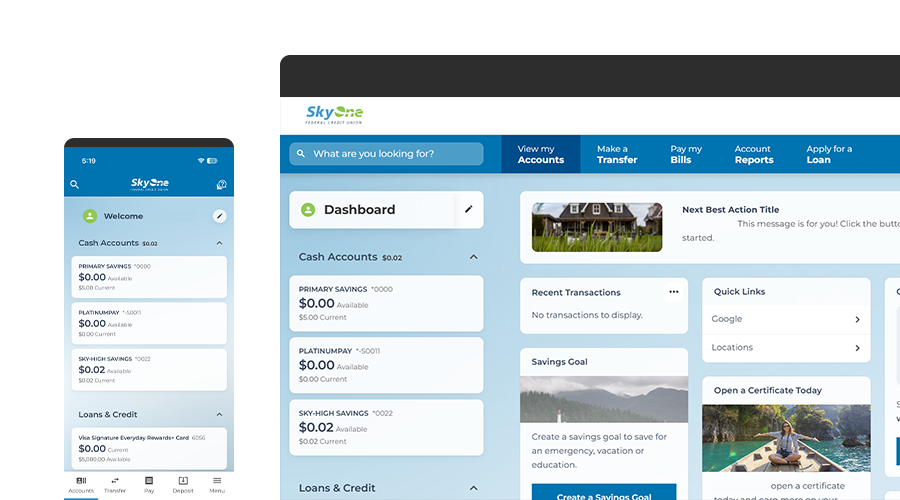
We’re upgrading
DO NOT give any one-time-passcodes, or personal information to suspicious or unprompted calls claiming to be SkyOne. SkyOne will never initiate a call to you to request sensitive personal information.
How to Prepare for Upgrade
Verify Personal Information
Log in today and validate that your email address and phone number are correct. This will ensure a smooth transition on March 17, 2026.
Bookmark this Page
We will add more information to this page as we get closer to unveiling our new platform. Stay updated on:
- Required steps for you to take
- New features and capabilities
- Important dates and timelines
Prepare for “View-Only” Mode
- Account balances and transaction history will be available.
- Previously scheduled transfers and Bill Pay payments will still process but cannot be edited or canceled on March 16th
- New transfers, Bill Pay payments, and Zelle® will be unavailable.
Use “Export” for Quicken/Quickbooks
- Starting March 16th, automatic transaction downloads will not be available for approximately one week.
- In the interim, your account data can be exported from online banking and then imported into Quicken/Quickbooks.
Info for Upgrade Day 03.17.26
Personal Accounts
Including, Trust, & Specialty Accounts
Log in using your existing username and password to get started. As part of your first time sign‑on, you’ll confirm your identity and set up a new password.
Business Accounts
LLC, DBA, Organization, etc
On the login page, select “Registration”. You will then need to create a new username and password during your first time sign on.
What information will I need to log into my new Online Banking?
You’ll need three things: your existing username, Social Security Number, and Date of Birth
Do I need to do anything to get ready for my new Online Banking?
Yes, make sure your contact info is up to date in your current Online Banking profile—email, mobile number, and mailing address. This way, you won’t miss any important updates
Will my Online Banking username change?
No, your username will be staying the same.
Will my Online Banking password change?
Yes, you’ll need to create a new one during your first login.
Do I need to re-register for online banking?
No, as part of your first time sign on experience, you will input your current username and password when prompted. You will then confirm your identity, and be prompted to set up a new password afterwards.
Will scheduled ACH external transfers continue without interruption?
Scheduled transfers are expected to transfer; however, members should review upcoming transactions after migration to confirm accuracy and timing.
Will established external accounts carry over?
External transfer accounts will transfer where supported. Members should review upcoming transactions after migration to confirm accuracy.
Will there be changes to my account view?
Yes! Your account view has been updated for a more simplified and modern look that will make it easier to navigate.
Will my bill payment information transfer over?
Yes, your bill pay details are coming with you.
Will my previous alerts and notifications transfer over?
No, they won’t. You’ll need to set up new alerts once you’re in the upgraded experience.
Will my account numbers stay the same?
Yes, your account numbers are staying exactly the same.
Will my account nicknames show?
No, you will need to re-add nicknames to your accounts.
Will iPhone or Android users need to download a new app?
No, your app will update to the new version automatically. Just keep auto-update on—or update it manually after launch.
What is considered a business account on the new platform?
A business account includes accounts held by registered or operating businesses such as DBAs, sole proprietorships, LLCs, partnerships, and corporations.
Trust accounts are not considered business accounts on the new platform. While trust accounts were treated as business accounts in the previous system, they will now be supported as personal account in Online Banking and will follow consumer access and enrollment processes.
Do business owners or authorized users need to re-register?
Yes. All business users must complete a new registration as an individual authorized signer on the business account. This replaces the previous shared credential model and enables enhanced user management and security.
What information will I need to register my new Online Banking?
You’ll need: your existing Business Member Number, Business Tax Identification Number, Personal Social Security Number, and Date of Birth.
To find your member number, log into online banking and click on a share. Your full MICR Account Number will be displayed. Your member number will be the sequence of numbers after the zeroes but before the last number. For example, if your MICR is 1000001234567, your member number is 123456.
How will business users access the new Online Banking platform?
Business accounts will no longer use a shared login. Each authorized signer will have their own individual Online Banking profile tied to the business.
During migration, business users must register individually using their personal information and their association to the business account. This ensures proper identity verification, role assignment, and security controls.
Note: If a business user is also tied to a personal account, then the user may elect to login with the personal account credentials and “switch” to the business profile. Registering the business separately is not required.
Will existing business users transfer automatically?
No. While existing external accounts, scheduled transfers, and bill pay profiles established by the business will migrate, each individual user must create their own profile. Business owners or authorized signers now have the ability to assign sub-user access after registration.
Will scheduled ACH external transfers continue without interruption?
Scheduled transfers are expected to transfer; however, business members should review upcoming transactions after migration to confirm accuracy and timing.
Will established external accounts carry over?
External transfer accounts will transfer where supported. Business members should review upcoming transactions after migration to confirm accuracy.
Does Business Bill Pay transfer to the new platform?
Yes. Business Bill Pay payees and history will transfer. Business members should review upcoming transactions after migration to confirm accuracy.
Will business alerts and notifications transfer?
No. Alerts and notifications will not transfer and must be reconfigured in the new Online Banking system.
Do business users need a new mobile app?
No. The existing mobile app will update automatically to the new experience. Each business user will log in with their own individual credentials once registered.
Are mobile deposit limits or features changing for business accounts?
Mobile deposit functionality remains available. Limits may differ by business account type and should be reviewed within the app after migration.
 App Store
 Google Play